Zeus Omega Control Module AZCM
Zeus Omega Control Module AZCM
SKU:AZCM
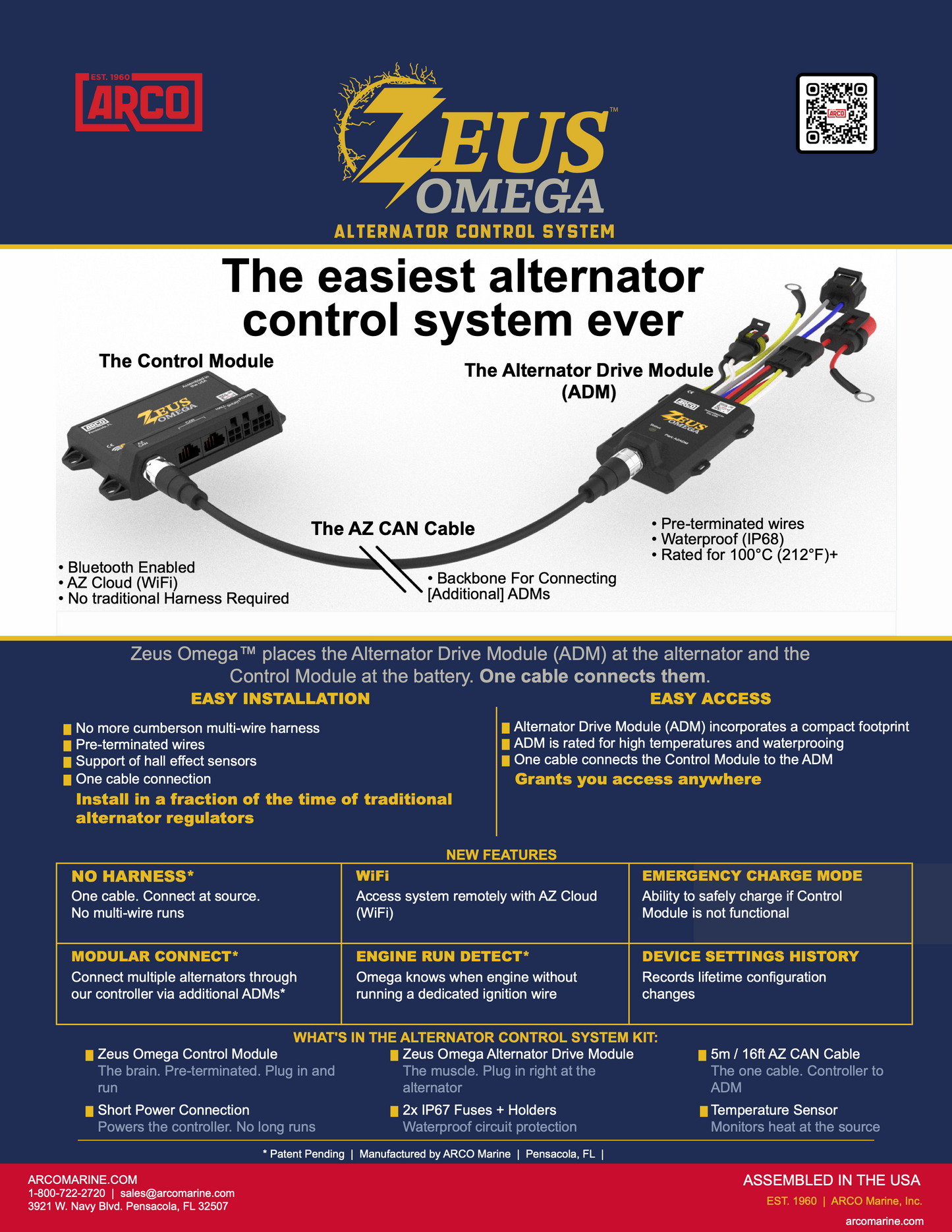
The Control Module is compact enough to mount anywhere near the battery — 4 × 3 × 1 inches, 3 oz. It handles all system intelligence: WiFi and Bluetooth connectivity, app communication, charging profiles, engine profiles, and diagnostics. The ADMs do the work at the alternator. The Control Module tells them exactly what to do.
- Central Control: A single AZCM hub can manage and interface with up to 6 separate Alternator Drive Modules (AZADM).
- Wireless Connectivity: Built-in Bluetooth and native WiFi connect to the AZ Cloud for remote system monitoring and software updates.
- Smart Monitoring: Fully compatible with iOS, Android, Apple CarPlay, and Android Auto mobile apps.
- No Heavy Harnesses: Eliminates the need for long, multi-wire runs back to a central box, relying instead on single AZ CAN network cables.
- Engine Run Detection: Automatically senses when an engine starts up without requiring a dedicated physical ignition trigger wire.
Specifications
Specifications
According to data from ARCO Marine, the hardware specifications include:Voltage Compatibility: Supports 12V, 24V, 36V, and 48V electrical systems.Enclosure Rating: IP20 rated (intended to be mounted indoors or in clean spaces near the battery bank).Dimensions & Weight: Measures 100 x 75 x 25 mm and weighs 3 ounces (85 grams).Heat Tolerance: Rated for operation up to 80°C (176°F)
Installation Details
Installation Details
Installing the ARCO Marine Zeus Omega Control Module (AZCM) is highly streamlined compared to older regulators because it separates control logic from high-current wiring. Rather than running a thick, multi-wire harness from the alternator all the way to your batteries, you only need to run a single data cable.
1. Mount the Control Module (AZCM)Location: Secure the AZCM near your battery bank or main DC distribution panel.Environment: It must be placed in a dry, clean indoor location (the unit is IP20-rated and not intended for exposed engine bays or wet environments).
Connect the Battery HarnessPower Connection: Attach the BAT V+ power wire to a clean, unswitched DC power source directly from your battery bank or via an electronics power switch. Protect this circuit with a 5-amp inline fuse.System Ground: Hook the BAT GND wire to the main system negative bus bar or the negative terminal of your battery bank.Voltage Sensing: Run the dedicated BAT V+ SENSE and BAT V- SENSE wires directly to the battery bank terminals. This eliminates voltage drop errors caused by the main current path.Battery Shunt Requirement: Ensure the AZCM is wired alongside your system's battery ground shunt. A shunt is required for the system to accurately track battery current and State of Charge (SOC)
Connect to the Alternator Drive Module (AZADM)Mount the Muscle: Ensure your companion Alternator Drive Module (AZADM) is mounted securely right next to or directly on the alternator housing.The Bridge: Connect the AZCM to the AZADM using a single, pre-terminated AZ CAN network cable. This proprietary communication line completely replaces traditional regulator wiring harnesses.
Smart App CommissioningDownload the Software: Download the ARCO Zeus App for iOS or Android from your respective app store.Pair the Device: Power up your vessel's electrical system, open the app, and connect to the AZCM via Bluetooth.Configure Settings: Follow the setup prompts to define your battery chemistry, system voltage (12V–48V), capacity, and alternator details (such as P-type vs N-type field configurations).
Pelagic Power Tip
Pelagic Power Tip
In stock
Couldn't load pickup availability