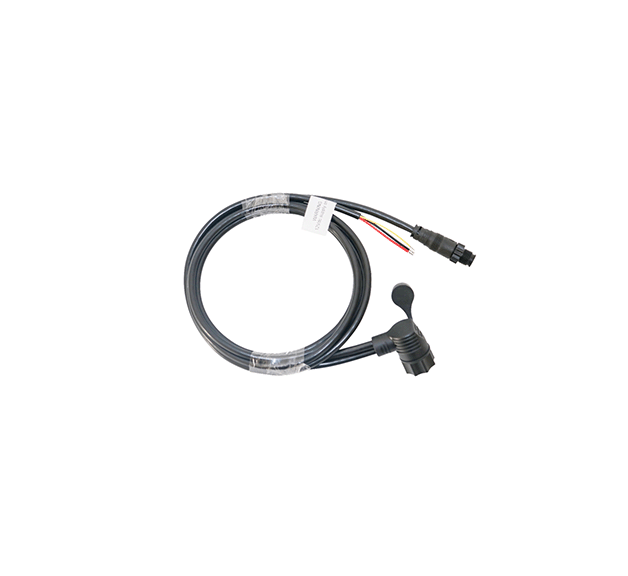
Czone Touch 5 Power/NMEA cable 80-911-0148-00
Czone Touch 5 Power/NMEA cable 80-911-0148-00
SKU:CZN80-911-0148-00
The CZone Touch 5 relies on a specialized combination cable that handles both 12V DC power and NMEA 2000 network data communication through a single multi-pin connector on the back of the display.
Specifications
Specifications
Connectivity & Interfaces
• Network Protocol: NMEA 2000 compliant
• Hardware Port: Single multi-pin waterproof connector on the back (bundles 12V DC power, NMEA 2000 data, and the power control circuit into one cable)
Physical & Environmental
• Waterproof Rating: IPX7 (withstands immersion in water up to 1 meter for 30 minutes)
• Operating Temperature Range: -15°C to 55°C (5°F to 131°F)
• Storage Temperature Range: -20°C to 60°C (-4°F to 140°F)
• Mounting Options: Front mount or flush/rear mount options.
Installation Details
Installation Details
CZone Touch 5 Installation Details
Mounting Options & Dimensions
• Top Mount (Front Flush): The display sits slightly proud of the dash surface using a cutout and a front-mounting bezel.
• Rear Mount (True Flush): Mounted from behind the dash panel for a completely flat glass-to-dash finish.
• Minimum Clearance: Requires at least 2 inches (50 mm) of free space behind the dash to accommodate the 90-degree cable bend radius and ensure proper ventilation.
Cutout and Installation Steps
1. Cutout Template: Stick the mounting template onto the desired dash location. Verify there are no wires, structural supports, or steering mechanisms directly behind it.
2. Cut and Drill: Drill pilot holes in the designated corners, then use a jigsaw to complete the rectangular cutout. Drill the required screw fastening holes around the perimeter.
3. Apply Gasket: Ensure the waterproof sealing gasket is flat and correctly positioned around the rear flange of the display to maintain the IPX7 waterproof seal.
4. Secure the Unit: Insert the display into the cutout and tighten the mounting hardware evenly. Do not overtighten, as this can crack the plastic housing or strain the glass.
Wiring & Pinout Rules
The single integrated power/data cable must be wired according to these strict rules:
• Red Wire (12V/24V DC Positive): Connects to a constant or switched battery source. Must be protected by an inline 2-Amp fuse.
• Black Wire (DC Negative): Connects directly to the vessel or vehicle common ground/negative busbar.
• Yellow Wire (Power Control / Ignition): Controls the power state of the display.
• Connect to the ignition switch or a dedicated toggle switch to turn the unit on and off automatically.
• Connect directly to the Red Wire if you want the unit to power up immediately whenever the main battery switch is turned on.
• NMEA 2000 Connector: Plug the Micro-C connector end of the cable directly into an open T-connector on a properly terminated and powered NMEA 2000 backbone.
Environmental Constraints
• Ventilation: Avoid installing the unit in fully sealed, non-ventilated boxes. Excessive heat buildup will degrade screen performance and reduce lifespan.
• Sunlight Exposure: While the screen is sunlight-viewable, prolonged direct exposure to intense UV light and heat when not in use can damage the optical bonding. Use a sun cover when stored.
Pelagic Power Tip
Pelagic Power Tip
Low stock: 1 left
Couldn't load pickup availability