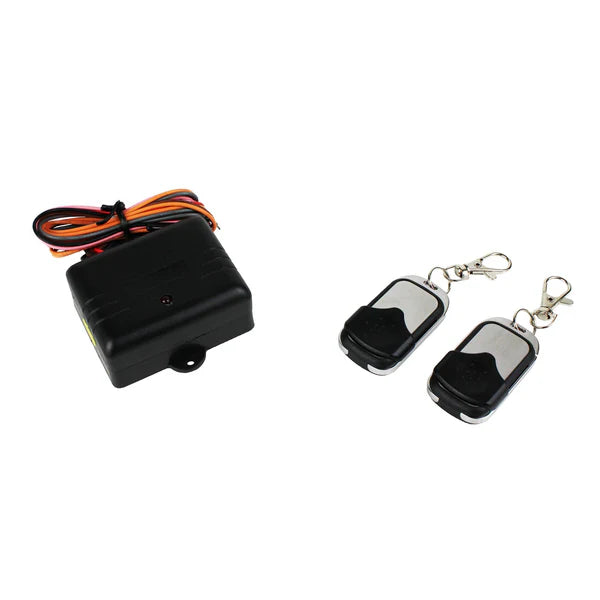
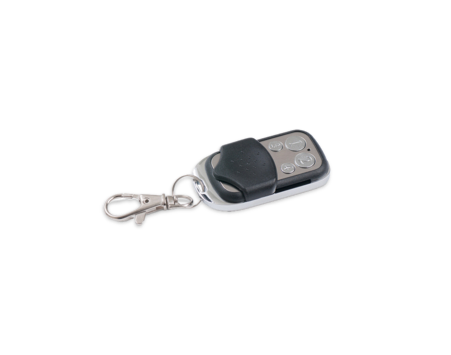
Czone 80-911-0045-00 Wireless Remote Key Fob Kit w/ Receiver Box
Czone 80-911-0045-00 Wireless Remote Key Fob Kit w/ Receiver Box
SKU:CZN80-911-0045-00
This is a wireless remote kit used to operate your BEP motorized battery switches remotely from a distance of up to 250 feet (80 meters) away. Control up to 4 separate 5A circuits such as 701-MD/720-MDO battery switches, anchor light, navigation lights, and courtesy lights. No more lifting hatches to turn on battery switches - it is now all controlled from the remote key fob.
- Control battery switches easily (On/Off) from the dock
- Remote has a rolling code for security
- Clean Dash -
- UI Integrated into MFD
- CZone Touch 5
- Dash mounted push-button switches
- Reduced weight
- Simplified installation and maintenance
- Integrated circuit protection
- Full control of all electrical functions -
- All lighting (Dimmable)
- Stereo
- Livewell
- Horn
- Wiper
- Steps
- Fans
- Add on accessories (Sunshade)
- Trim tabs
- Monitoring of critical functions -
- Battery level
- Tank levels
- Bilge
Warning: Product may contain materials cautioned by California Proposition 65
Specifications
Specifications
While units typically come pre-paired, you can manually program or reset them using the internal K1 button and D1 LED on the receiver board:
Clear Existing Codes: Press and hold the K1 button for 10 seconds. The white D1 LED will flash five times to indicate all original codes have been removed.
Pair a New Remote:
Press the K1 button briefly; the white D1 LED will stay on.
Press any button on the remote twice. If the LED turns off, the pairing was successful.
Note: The receiver will exit pairing mode automatically if no input is detected for 8 seconds.
Change Operation Mode: To switch between momentary (default) and constant (toggle) output, press and hold buttons 1 and 2 on the remote simultaneously for 10 seconds
Installation Details
Installation Details
Antenna Placement: Fully extend the black antenna cable and keep it clear of interference sources for maximum range.
Power Supply: Connect the receiver to a 12V DC power source through a 3-Amp fuse.
Location: Mount the receiver in a dry location to protect the internal electronics from moisture.
Pelagic Power Tip
Pelagic Power Tip
For the BEP CZone Wireless Remote Kit (80-911-0045-00), follow these essential tech tips to ensure reliable performance and avoid common installation pitfalls:
1. Maximize Signal Range
Antenna Extension: Fully extend the black antenna cable. Do not leave it coiled, as this significantly reduces the 250-foot (80-meter) operational range.
Avoid Metal Enclosures: Mount the receiver in a dry, non-metallic area. Placing it inside a metal locker or behind dense engine room bulkheads will shield the RF signal.
Interference Check: Keep the antenna away from high-current DC cables, electric motors, or other RF-emitting devices to prevent signal "noise".
2. Wiring & Electrical Protection
Fuse Requirement: Always install a 3-Amp fuse on the 12V positive (Red) power lead. The internal relays are rated for 5A per circuit; exceeding this can burn out the module's MOSFETs.
Isolated Channels: Each of the four relay channels has separate "In" and "Out" connections. This allows you to mix positive and negative switching on the same receiver (e.g., controlling a positive-switched light and a ground-switched trigger simultaneously).
Voltage Sag: If the remote works when the engine is running but fails when the battery is low, check for voltage drops. The receiver is sensitive to low voltage during the "handshake" process with the remote.
Low stock: 1 left
Couldn't load pickup availability