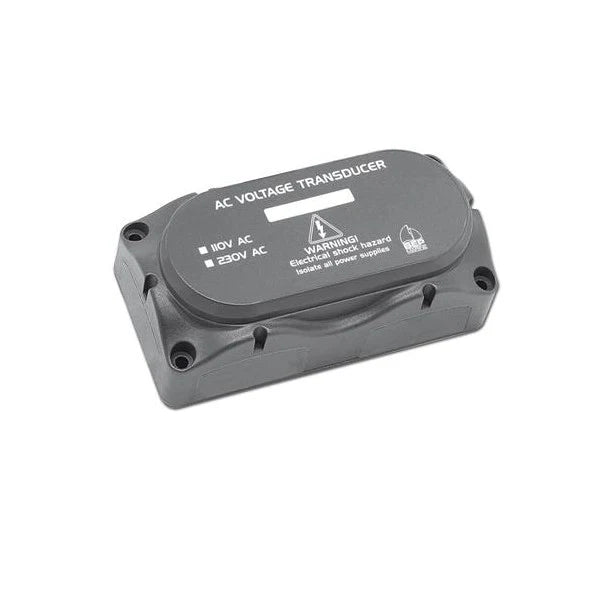
AC Transducer ac-vsen-4
AC Transducer ac-vsen-4
SKU:CZNac-vsen-4
BEP AC-VSEN-4 Voltage Transformer - Converter
Are you looking for a reliable and accurate alternating current transformer for your marine or mobile energy management system? The BEP AC-VSEN-4 Voltage Converter is the ideal solution to accurately monitor your AC voltage and convert it into a usable signal for your monitoring equipment.
This transformer is specifically designed to seamlessly integrate into systems that use CZone or similar digital switching systems. It provides a pure and reliable output signal, which is essential for the proper operation of your power consumers and the protection of your electrical installation.
Features of the BEP AC-VSEN-4
- High Accuracy: Ensures an extremely precise measurement of the alternating voltage, which is crucial for accurate display on your screens.
- Optimal Design: Compact and robust, designed to withstand the harsh conditions in marine and vehicle applications.
- Easy Integration: Specifically optimized for use in combination with CZone and other NMEA 2000 compatible systems.
- Enhanced Safety: The isolated output protects your sensitive electronics from voltage spikes and noise.
- Wide Application Range: Suitable for 110V and 230V AC systems, making it universally applicable.
Specifications
Specifications
The BEP AC-VSEN-4 Voltage Transformer - Converter converts the measured alternating voltage into a stable signal. The installation dimensions are 70 x 70 millimeters. The module is suitable for measuring alternating voltages up to 260V AC with a maximum voltage of 280V AC and provides an output signal of 0 to 5V DC proportional to the input voltage. The device operates within a supply voltage of 9 to 16 Volts DC. The dimensions of the device are: 70 millimeters wide, 70 millimeters high, and 35 millimeters deep. The weight of the transformer is only 0.06 kilograms, which simplifies installation. This model, with product number 80-911-0070-00, is an essential component for reliable energy management.
Installation Details
Installation Details
Safety First: Installation should only be performed by qualified electricians. Always disconnect the AC power source before beginning any wiring.
Mounting: The unit should be installed vertically with cables exiting downwards to maintain environmental seals.
Environment: Mount the device in a closed, technically correct space protected from rain, moisture, dust, and condensation. Never install it in locations with a danger of gas or dust explosions.
All AC connections are made using the 6-way connector:
Voltage Inputs: Connect inputs from the AC voltage transformers to the Meter Interface (MI) inputs 2, 4, and 5.
Note: Ensure voltage inputs are wired from the voltage transformer and not directly from the AC power source.
Current Inputs: If using current transformers (CTs) in conjunction, connect them to MI inputs 1 and 3.
Pairing: For accurate metering, ensure Current Input 1 is paired with Voltage Input 1, and Current Input 2 with Voltage Input 2 from the same supply source.
As a CZone component, the AC-VSEN-4 requires software configuration to function correctly within the network:
DIP Switches: Use the identification labels provided to record module types and dipswitch settings using a permanent marker.
Software: Configuration must typically be handled by a professional installer with CZone-compatible hardware and software.
Pelagic Power Tip
Pelagic Power Tip
Avoid Direct AC Connection: Never wire the AC mains directly to the Meter Interface inputs. The AC-VSEN-4 must sit between the AC source and the MI to provide isolation and scaled voltage.
Verify Phasing: If you are using Current Transformers (CTs) alongside the AC-VSEN-4, you must pair them correctly for accurate power calculations.
Voltage Input 1 must be paired with Current Input 1.
Voltage Input 2 must be paired with Current Input 2.
LED Fault Diagnosis: After powering up your NMEA 2000 network, check the status LEDs on the Meter Interface. A solid green Power LED indicates health, while specific flashing codes on circuit LEDs can help pinpoint wiring faults before you start software configuration.
Configuration Lock: To prevent system alarms when displays are off, ensure the "Switched module network power" setting is checked in the CZone Configuration Tool.
Update Firmware Early: Always check for the latest firmware on the CZone Portal before completing your installation. Outdated firmware on the Meter Interface is a common cause of reporting errors in newer systems.
11 in stock
Couldn't load pickup availability